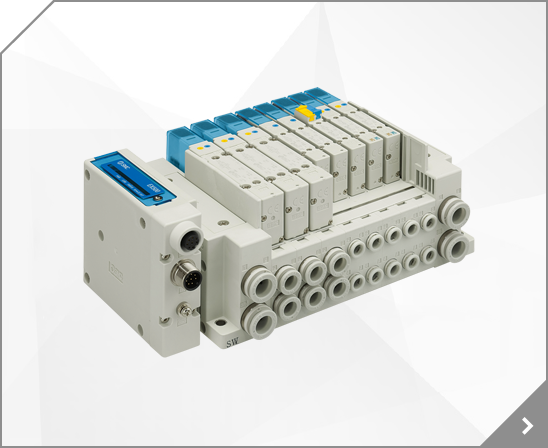


Body Size: 40, Protocol: EN [EtherNet/IPâ„¢, OPC UA (When Wireless Adapter is Connected: Wireless Base)], Unit: M (SI Units Only)
Body Size: 20, Protocol: EN [EtherNet/IPâ„¢, OPC UA (When Wireless Adapter is Connected: Wireless Base)], Unit: M (SI Units Only)
Body Size: 30, Protocol: EN [EtherNet/IPâ„¢, OPC UA (When Wireless Adapter is Connected: Wireless Base)], Unit: M (SI Units Only)
Body Size: 40, Protocol: EN [EtherNet/IPâ„¢, OPC UA (When Wireless Adapter is Connected: Wireless Base)], Unit: SI Units Only
Body Size: 20, Protocol: EN [EtherNet/IPâ„¢, OPC UA (When Wireless Adapter is Connected: Wireless Base)], Unit: SI Units Only
Body Size: 30, Protocol: EN [EtherNet/IPâ„¢, OPC UA (When Wireless Adapter is Connected: Wireless Base)], Unit: SI Units Only
 OMR0032
 (30 10-3) = 2000 [pulses/s) Acceleration time: 60 1500 = 40 [ms] Deceleration time: 60 1000 = 60 [ms] [Calculation example: Target position 2] Travel distance: 6 (30 10-6) = 200 [pulses] (in the reverse direction) Travel speed: 60 (30 10-3) = 2000 [pulses/s] Acceleration time: 60 1500 = 40 [ms] Deceleration time: 60 1000 = 60 [ms] 61 - Step Data setting example Thrust Load mass
Accel 1 to 60 Set the acceleration required to reach the travel speed (unit: mm/s2). (Acceleration) The acceleration setting is enabled when [Speed Entry Method] has been selected in the Basic Parameter Set up window in the Step Data Input Method section. Decel 1 to 60 Set the deceleration required to reach the travel speed (unit: mm/s2).
40 50 50 15 9 11 12 80 18 16 66 86 18 47 40 50 60 63 15 11 12.5 14 100 18 20 11 76 96 20 55 13.5 50 60 70 71 15 19 Mounting style (CR): Head side clevis with ball joint A B C D EN ER F E L M N P H Bore size (mm) 0.2 max 0.2 H7 0.1 max H11 H13 H13 0.5 0.5 32 22 10 14 15 30 5 32.5 10.5 6.6 45 10.5 5.5 40 38 12 25 12 16 18 35 5 6.6 55 11 5.5 50 46.5 15 27 16 21 20 40 5 51 9 65 15 6.5 63 56.5
6.6 9 10 50 15 12 50 65 12 33 30 32 45 45 12 9 11 12 63 15 16 52 67 14 37 35 40 50 50 15 9 11 12 80 18 16 66 86 18 47 40 50 60 63 15 11 12.5 14 100 18 20 11 76 96 20 55 13.5 50 60 70 71 15 19 Mounting style (CR): Head side clevis with ball joint A B C D EN ER F E L M N P H Bore size (mm) 0.2 max 0.2 H7 0.1 max H11 H13 H13 0.5 0.5 32 22 10 14 15 30 5 32.5 10.5 6.6 45 10.5 5.5 40 38 12 25
Forced output 60 4.3.1. Forced output conditions 60 4.3.2. Forced output procedure 60 4.3.3. Forced output release procedure 63 4.4. Export Settings 64 4.5. Import Settings 66 4.6. Reading of the initial value 67 4.7. Initialize 68 -1No.EX-OMV0017-C 5. Pairing of wireless unit 70 5.1. Pairing procedure of wireless unit 70 5.2. Registration of dummy Remote 75 6.
Features 4 Fieldbus System Series EX600 RoHS How to Order S EX600 SI Unit Version Protocol Symbol Description PROFIBUS DP DeviceNet CC-Link EtherNet/IP Note 1) Symbol Description When MJ or EN or EC is selected When PR or DN is selected PR DN MJ EN EC Nil A EtherCAT Note 1) Output type Symbol Description PNP (Negative common) NPN (Positive common) 1 2 DX EX600 Digital Input Unit Input type
Net Framework 4.0 or higher http://www.microsoft.com/en-US/download/details.aspx?id=17718 (2): NFC reader, writer connection driver NFC port software (Ver 5.5.0.6 / Approx.39 MB / Apr.24.2017) https://www.sony.net/Products/felica/business/products/RC-S380.html When the Advanced Card Systems Ltd.
Net Framework 4.0 or higher http://www.microsoft.com/en-US/download/details.aspx?id=17718 (2): NFC reader, writer connection driver NFC port software (Ver 5.5.0.6 / Approx.39 MB / Apr.24.2017) https://www.sony.net/Products/felica/business/products/RC-S380.html When the Advanced Card Systems Ltd.
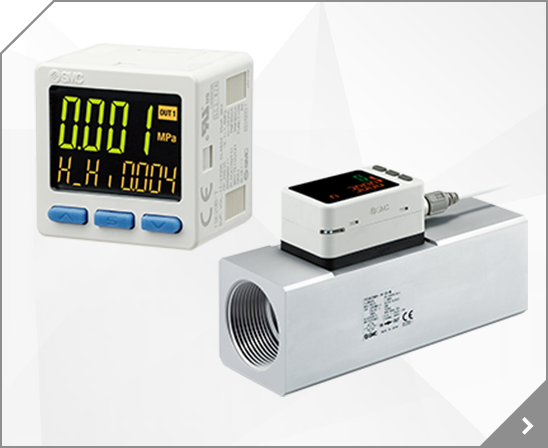
Air Management Hub, SENSOR, DIGITAL AIR FLOW, O24, 800.00000 lb
Air Management Hub, SENSOR, DIGITAL AIR FLOW, O24, 750.00000 lb
CRB2 Counter-clockwise A port Positioning pin hole 5 Adjustment bolt A CRB1 (For counter-clockwise rotation end adjustment) 22 95 .5 e MSU ng Adjustment bolt B ra t (For clockwise rotation end adjustment) en CRJ tm se wi us ck dj a lo CRA1 -c nd B port er se Clockwise e nt wi on Cl ck u lo o oc C ad ti CRQ2 C ta 90 k ju ro wi st 1 se m r ge en ot With Adjustment Bolt at t r an io n an
. -15No.EX-OMX1011 SI Unit Model Indication and How to Order EX600-S EN 3 -X80 SI Unit Output type / Number of ports Symbol Content Protocol 3 PNP (negative common) / 2 port Symbol Content EN EtherNet/IPTM Summary of Product parts No.
10 10 1 4 KAL04-U02 22 21.5 14 16 KAL06-M5 9 5 6 M5 X 0.8 M6 X 1.0 18 3.5 3.5 8 8 KAL06-M6 16.5 17 1 8 20 3 8 KAL06-U03 24 23 21.5 14 12.8 KAL06-U01 10 6 23.5
Kl Ml Hl Dl MS Tl Note) Never cut metals such as electric wires. Part No. TK-2 Nylon, soft nylon, polyurethane, and other soft plastic tube Tube material Tube O.D. Weight 18mm or less 140g 2.5-3 Accessories/Tools Tube Cutter Series TK Tube Cutter: TK-3 (Useful type) Safety lock contained. Note) Never cut metals such as electric wires. Part No.