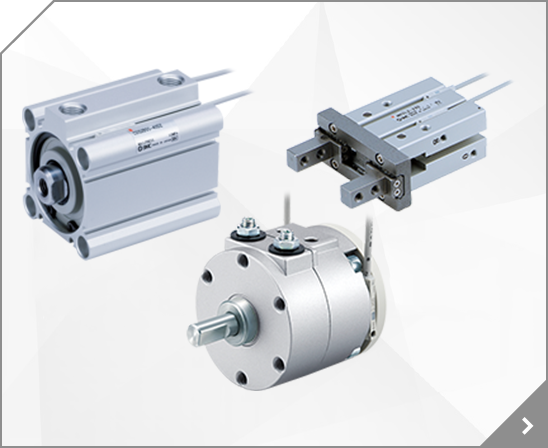
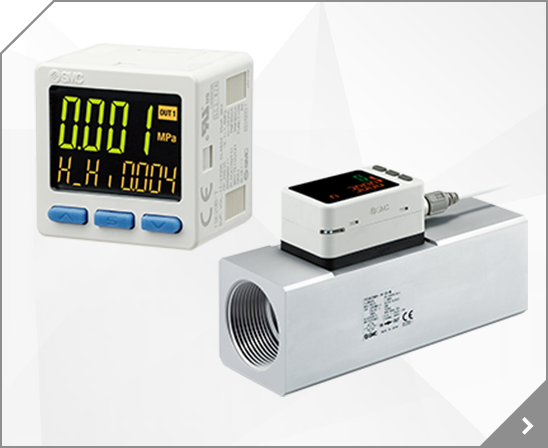
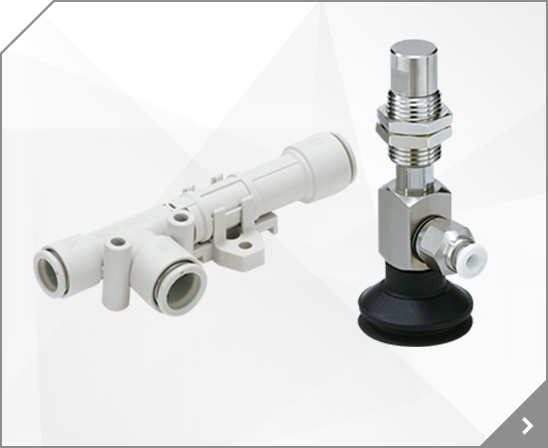


 CJ2-Z 10-/11- Series 21-/22- Air Cylinder/ø10, ø16
 CJ216 15, 30, 45, 60, 75, 100, 125, 150, 175, 200 16 Air cushion is not available for 21-/22-.
(Figure 20) (3) Hold the piston in place and install the pinion gear on the piston. Figure 21 shows the piston position and Figure 22 shows the pinion gear assembly angle. Fig. 20 Fig. 21 Size 10 Size 20305070100200 Fig. 22 Piston assembly Push nut side 40 - (4) Install the bearing, bearing holder and table on the body.
8 4.1 4.5 4.7 4.1 4.5 4.7 4.1 4.1 4.1 3.5 4.1 4.1 3.8 4.1 4.3 Single 1 2 3 4 VFS5100 VFS5110 600 0.88 45 or less 2 position 3 position VFR 3 8 VP4 Double 1 2 3 4 3 8 1 2 3 4 3 8 1 2 3 4 3 8 1 2 3 4 3 8 1 2 3 4 VFS5200 VFS5210 600 1.06 25 or less Courtesy of Steven Engineering, Inc.-230 Ryan Way, South San Francisco, CA 94080-6370-Main Office: (650) 588-9200-Outside Local Area: (800) 258-9200
3.3.5 Wiring of Run/Stop signal input .3-21 3.3.6 Wiring of contact output signal .3-23 3.3.7 Wiring of analog output signal .3-24 3.3.8 RS-485 communication wiring .3-24 3.3.9 RS-232C communication wiring .3-26 3.4 Piping . 3-28 Installation of particle filter .3-30 Installation of particle filter element .3-33 HRL Series HRX-OM-W060 Contents How to connect to the circulating fluid outlet
21 21 Light/Surge voltage suppressor Light/Surge voltage suppressor Light/Surge voltage suppressor SOL.B SOL.B SOL.B Station 2 Station 2 Station 2 4 4 4 SOL.A SOL.A SOL.A 3 3 3 Light/Surge voltage suppressor Light/Surge voltage suppressor Light/Surge voltage suppressor SOL.B SOL.B SOL.B Station 1 Station 1 Station 1 2 2 2 SOL.A SOL.A Triangle mark SOL.A 1 1 1 Triangle mark Triangle mark
8 10 mm or 3/8" [6 mm or 1/4" (x)] 4.1 4.1 13 2.3 140 3/8 10 mm or 3/8" 17 4.3 262 1/2 10 mm or 3/8" 3.6 3.6 20 5.4 330 1/2 10 mm or 3/8" 5.0 5.0 25 10.5 610 1/2 10 mm or 3/8" 9.5 9.5 32 21 1282 3/4 10 mm or 3/8" 18.0 18.0 40 43 2624 3/4 10 mm or 3/8" 35.0 35.0 50 84 5126 1 10 mm or 3/8" 67.0 67.0 60 121 7380 1 10 mm or 3/8" 75 189 11500 1 10 mm or 3/8" 502 195 11900 1 10 mm or 3/8" 130.0
SI No. 1 COM M OUT 1 COM 0V 2 3 P OUT 1 Zone 1 4 SOL 0 0 Zone 1 ON Zone 1 11 SOL 7 7 Zone 1 ON 12 P OUT 2 Zone 2 13 SOL 8 8 Zone 2 ON Zone 2 20 SOL 15 15 Zone 2 ON 21 P OUT 3 Zone 3 22 SOL 16 16 Zone 3 ON Zone 3 29 SOL 23 23 Zone 3 ON 30 N. C. N.
port 2-Rc 1/8 27 31 38.7 External pilot port 2-Rc 1/8 P=25 65.5 2n-Rc 1/4, 3/8, C8, C10, C12 <4(A), 2(B) port> Rc 1/4: 1/4" Female thread Rc 3/8: 3/8" Female thread C8 : 8 One-touch fitting C10 : 10 One-touch fitting C12 : 12 One-touch fitting L2 6.5 5.5 108 L1 Manual override Indicator light 65.5 P=25 A A A B A B A B A B A B 21 21 63 9 A A A A A A A 143 163 66 41.5 9 B B B B B SI unit Input
N.O. 1 (P) 5 (R1) 3 (R2) 3 position exhaust center 4 position dual 3 port valve (A) 4 position dual 3 port valve (C) (A) 4 (B) 2 4 2 4 2 5 3 1 5 3 1 1 (P) 5 (R1) 3 (R2) N.C. N.O. N.C.
Contact pin (preassembled) N 3 Terminal Pin no.
-Wl Bore size [mm] MM MO N NB P RF S V W WL ZZ S ZZ 32 M10 x 1.25 15 27 35 1/8 11 92 4 6.5 24 143 40 M14 x 1.5 19 27 40 1/4 11 97 4 9 24 152 50 M18 x 1.5 19 31.5 43.5 1/4 11 106 5 10.5 24 168 63 M18 x 1.5 19 31.5 43.5 3/8 11 106 9 12 24 168 80 M22 x 1.5 23 38 56 3/8 21 132 11.5 14 40 208 100 M26 x 1.5 23 38 56 1/2 21 132 17 15 40 208 100 151 110 165 118 180 118 180 150 226 150 226 420 Air
The lower 3 digits of the set value are displayed. The operation procedure is described below. 500 When the "MODE" button is pressed, the upper 3 digits are displayed. Change the set value as shown below. Set value before change (r/min) 2 5 0 0 a. The set screen can be selected from the upper 3 digits and lower 3 digits with "MODE" button. Lower 3 digits Upper 3 digits b.
24V DC relay, PLC 2 wire 4V or less D-H7BAL Water resistant Relay, IC circuit, PLC D-H7NF With diagnostic output 40mA or less 4 wire NPN D-H7LF 24V DC relay, PLC Latching with diagnostic output 3 wire NPN D-H7A1 Relay, IC circuit, PLC 3 wire PNP D-H7A2 0.8V or less 80mA or less D-G39 3 wire NPN 40mA or less D-K39 3V or less 2 wire 24V DC relay, PLC D-G5NTL 3 wire NPN Built-in OFF delay timer
Refer to pages 14-21-3 to 14-21-4 for Safety Instructions and Common Precautions on the products mentioned in this catalog, and pages 14-14-6 to 14-14-8 for Precautions on every series. 5. Tightening torque for installing the membrane module and the case (for IDG5/10/20/5H/10H/20H) Use caution not to tighten excessively.
24 22 20 18 16 14 12 10 Input/output connector (CS0) 3 7 5 1 39 37 35 33 31 29 27 25 23 21 19 17 15 13 11 9 Power supply terminal block 20 18 16 14 12 10 8 6 4 2 Input/output connector (CS1) 19 17 15 13 11 9 7 5 3 1 Green Red F E D C B A 9 8 7 6 5 4 3 2 1 0 4 3 2 1 CN1 4 3 2 1 CN2 4 3 2 1 CN3 4 3 2 1 CN4 4 3 2 1 CN5 4 3 2 1 CN6 4 3 2 1 CN7 4 3 2 1 CN8 4 3 2 1 CN9 4 3 2 1 CNA 4 3 2 1 CNB
8 o e @2 @3 @1 !3 !4 @7 @8 !6 !5 CHN CHM CHS CHS CH2 CHA !0 q w !2 !
Spacer with Bracket Y300T-D 3 pcs.
Display unit settings Flow setting Hysteresis setting Peak/Bottom value -28No.PF-OMA1011-A 3 Step Setting Mode 3 step setting mode In this mode, the set values can be input in just 3 steps. Use this mode if the product is to be used straight away, after changing only the set values. (The current flow value is displayed on the main display.)
Direct mount type End lock Standard 1 3 3 1 2 Double rod Air Cylinder Direct mount type 10-/1121-/221 3 3 1 2 CA2 Air Cylinder Standard 10113 1 2 CUJ Mini-free Mount Cylinder 10-/1121-/221 3 3 1 2 CDU Free Mount Cylinder 10-/1121-/221 2 3 1 2 CQS Compact Cylinder 10-/1121-/221 2 3 1 2 CQ2 10113 1 2 REC Sine Cylinder Note) 11-/1221-/221 3 1 2 CXSJ 3, 4 Dual Rod Cylinder Note) 10-/11-/1221
N.C. 1 N.C. 2 1 1 1 1 SD+ 3 2 2 2 2 SD4 3 3 3 3 N.C. 5 4 4 4 4 N.C. 6 N.C. 7 1 2 3 4 1 2 3 4 N.C. 8 CN4 CN4 No. No.