

 Title not found
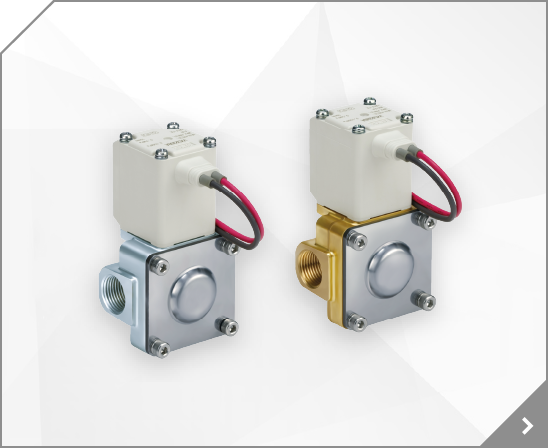
 N.C. double acting PA PA B A PB B A N.C. double acting P PA PA B A B A PB B A Manual Operation Threaded Ports . Three types of body material: SUS / PPS / PFA . Manifolds . Locking type and non locking types available . Integral fitting type / Threaded type .
High Suction Vacuum Work 1 Work 2 Work n Max.A ON point OFF point Min.B Not adsorption Work 1 Work 2 Work n Atmosphere A B 4 A B 4 = A ON point Max.A: Maximum pressure value when workpiece is vacuumed. Min.B: Maximum pressure value when workpiece is not vacuumed.
UJ I 2-Forled \bBion DIMENSIONS A B c o E F G H J K M P R s T 1.57 (40) 2.52 (64) 2.20 (56) 1.77 (45) 4.80 (1221 1.97 {50} 0.98 (25) 1 . 1 0 (28) 0.51 (13) 4.45 (113) ?
UJ I 2-Forled \bBion DIMENSIONS A B c o E F G H J K M P R s T 1.57 (40) 2.52 (64) 2.20 (56) 1.77 (45) 4.80 (1221 1.97 {50} 0.98 (25) 1 . 1 0 (28) 0.51 (13) 4.45 (113) ?
*sure dlsplay Accuracy J3% (lull span) Minimum unit [ i l P a : 0 . 0 1 . k a f / c m ' : 0 . 0 1 , b a r : 0 . 0 1 .
Panel mounting Insert Panel Mount Adapter B (supplied as an accessory) into Section A of Panel Mount Adapter A. Push Panel Mount Adapter B from behind until the display is fixed onto the panel. The pin of Panel Mount Adapter B engages the notched part of Panel Adapter section C to fix the display.
Safety Instructions Outline of Settings Function Selection Mode Mounting with panel mount adapter Mount part (a) to the front of the body and fix it. Then insert the body with (a) into the panel until (a) comes into contact with the panel front surface. Next, mount part (b) to the body from the rear and insert it until (b) comes into contact with the panel for fixing.
Panel mounting Insert panel mount adapter B (supplied as an accessory) into section A of panel mount adapter. Push panel mount adapter B from behind until the display is fixed onto the panel. The pin of bracket engages the notched part of panel adapter section C to fix the display. The switch can be mounted on a panel with a thickness of 1 to 3.2 mm.
Panel mounting Insert Panel Mount Adapter B (supplied as an accessory) into Section A of Panel Mount Adapter A. Push Panel Mount Adapter B from behind until the display is fixed onto the panel. The pin of Panel Mount Adapter B engages the notched part of Panel Adapter section C to fix the display. The switch can be mounted on a panel with a thickness of 1 to 3.2 mm.
Block off the heat with a cover, etc. 5. Do not use in locations where static electric charges will be a problem. Consult SMC regarding use in this kind of environment. 6. Do not use in locations where spatter occurs. There is a danger of spatter causing a fire.
The type without the unit switching function will have a fixed SI unit (l/min, or l, m or m x 10). Output (OUT1) Indicator DOWN Button ( Button) Lights up when OUT1 is ON. UP Button ( Button) Use when decreasing a setting value. Use when increasing a setting value. MODE Button ( Button) SET Button ( Button) Use when changing a function. Use when selecting a function.
for attaching a limit switch Applicable product Kit no.
Insert panel mount adapter B into section A of panel mount adapter A. Push panel mount adapter B from behind until the display is fixed onto the panel. The pin of panel mount adapter B engages the notched part of panel adapter section A to fix the display. Summary of Product parts Initialize mode Function selection mode Find the diagram of the output required in the table below.
M E N S I O N S AD S E R I E S A U I T O D R A I N S S Y M B O L S H O W T O O R D E R A U T O D R A I N S E R I E S AD AD402-02 (1/4) PT AD402-03 (3/8) PT AD402-04 (1/2) PT AD600-06 (3/4) PT AD600-10 (1) PT H O W T O O R D E R A U T O D R A I N S E R I E S NAD NAD402-N02 (1/4) NPT NAD402-N03 (3/8) NPT NAD402-N04 (1/2) NPT NAD600-N06 (3/4) NPT NAD600-N10 (1) NPT FOR FURTHER TECHNICAL DETAILS
IDX-OM-W011-B / Series IDF1E/2E/3E-10(-A,C,S) IDF3E-20(-A,C) IDF4E-10(-A,C,L,M,R,S,T) IDF4E-20(-A,C,L,M,R,T) IDF6E-10(-A,C,K,L,M,R,S,T) IDF6E-20(-A,C,K,L,M,R,T) IDF8E-10(-A,C,K,L,M,R,S,T) IDF8E-20(-A,C,K,L,M,R,T) IDF11E-10(-A,C,K,L,M,R,S,T) IDF11E-20(-A,C,K,L,M,R,T) IDF15E1-10(-A,C,K,L,M,R,S,T) IDF15E1-20(-A,C,K,L,M,R,T) URLhttps://www.smcworld.com/ English instruction manual can be downloaded
Turn cover A counterclockwise until it stops (approx. 45). 4. Install a new element on cover A and insert it into the case. Cover A Case Cover A Case O L L Element O-ring Window 5.
Oistance btween spot wlder capped elclrcde and auto switch at 15000 A:, = 40rnm E a *i"l fr-a \r W'^ Special High Magnetic Field Auto Switches Auto switch is designed to tunction in high magnetic fields, unlike conventional types and can be used as close as 2" from a magnetic field environment displacing 20,000 Amps.
Fittings & Tubing Air Cylinders Rotary Actuators 0 L0.1 4 x MM Thread depth J 2 x P (Piping port) A G E H G B NN Effective thread length T (R) D X Mounting nut Width across flats C F N ZZ + Stroke S + Stroke W K N F I NA TT 6 T Model MM L K J I H G F E D C B A S NN NA 34 N R 12-REA25 12-REA32 12-REA40 8 46 32 26.4 2 13 7.5 20.5 8 10 70 15 M5 x 0.8 18.5 30 M26 x 1.5 111 10 8 60 32 33.6 2 16